


60-DAY MONEY-BACK GUARANTEE
Catch-All Dash Cam
Catch-All Dash Cam
Have proof when someone hits you.
It sticks on, plugs in, and records every drive without needing an electrician to install it.
- 🛡️A record when the stories don't match: show what actually happened
- 📱Get the clip onto your phone in seconds, with no cables or card readers
- 🌙Clear 1080p video, day or night: bright F1.8 lens, 140° wide view
- 💳No subscription: footage saves to your own memory card, not a paid cloud
🎁 BLACK FRIDAY DEALS 🎁
🎁 FREE GIFTS WITH EVERY DASH CAM
64GB Memory Card
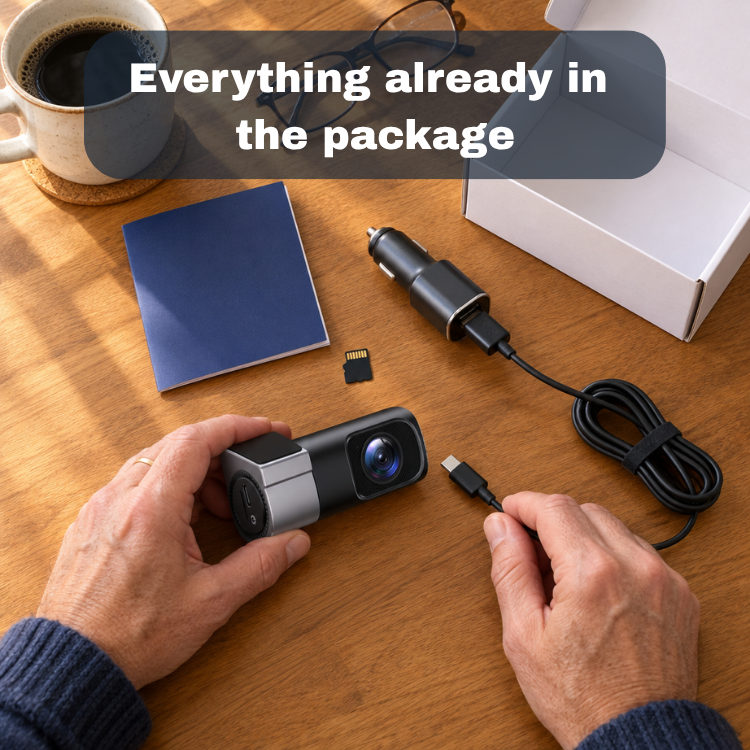
Ready to record out of the box
Mystery Gift
A surprise for your family
Couldn't load pickup availability
✅ Try it for 60 days. Not happy? Get a full refund.

Catch-All Dash Cam
Will it work in my car?
Will it work in my car?
Yes, if your car has a 12V power outlet (the cigarette-lighter style socket). It sticks on behind your mirror with an adhesive mount, so there's nothing to wire and nothing to tap into.
How hard is it to install?
How hard is it to install?
About as hard as charging your phone. Peel the adhesive mount, press the camera onto your windshield behind the rear-view mirror, and plug the cable into your car's power outlet. No tools, no wiring, no installer. Tuck the cable along the headliner and it all but disappears.
How do I get a clip onto my phone?
How do I get a clip onto my phone?
Three taps: open the app, tap the clip, tap save. The camera makes its own Wi-Fi connection, so you don't need internet or cell data. Then share it like any other video on your phone.
Is there a monthly fee?
Is there a monthly fee?
Not from us. Footage records to the 64GB memory card that comes in the box, and transfers straight to your phone over the camera's own Wi-Fi. There's no cloud plan to buy and nothing to renew.
How good is the video at night?
How good is the video at night?
The F1.8 lens is a wide aperture, which lets in more light than many budget cameras, and night vision mode helps in low light. Like every dash cam, results depend on lighting, distance, and speed. Streetlights and headlights help, and no camera can promise to read every license plate in the dark.
What if it's not for me?
What if it's not for me?
Try it for 60 days. If it doesn't earn its spot on your windshield, email support@claroy.com for a full refund under our money-back guarantee.
A witness that never blinks.
Every drive is a story, and most of the time nobody needs to hear it. But on the one day the story matters, the person who tells it best usually wins.
The Catch-All Dash Cam sits behind your mirror like a quiet passenger who never looks away. It doesn’t talk, it doesn’t take sides, and it doesn’t forget. It just watches the road and keeps the receipts.
The road doesn’t play fair. Now you don’t have to hope it will.
A driver drifts into your lane. Someone slams on their brakes for no reason. A car runs the red and swears it was green.
Without footage, the truth is a coin toss: your word against theirs, flipped in a stranger’s office. With the Catch-All, the truth is a three-tap clip on your phone. It’s clear, timestamped by the drive itself, and impossible to argue with.
It starts recording the moment your car starts, like a seatbelt you never have to remember to click.
Because the most important things in your car aren’t on the road.
They’re in the seats behind you. The kid humming along to the radio. The one asleep against the window. The person in the passenger seat who trusts you to get everyone home.
You already lock the doors, check the mirrors and buckle every belt. The Catch-All is one more layer of “I’ve got you.” It’s small enough to forget about and there when you need it, like a spare key you hope you never use but are always glad you have.
Stick it on. Plug it in. Drive the way you always do.
Your proof is riding along.


Drivers Who Got Proactive
-

★★★★★
Installed it in the parking lot
I thought they were just messing with me but when it got to my house, I opened the box and it looked so easy to install that I did it that same day.
-

★★★★★
Good Quality
This little camera is actually pretty good for the price. I especially need it at night because I've started to Uber and drivers at night are crazy sometimes.
-

★★★★★
Saved the clip right to my phone
I like to buy new things for my car and this one was easy. I bought it, got the app working, and just saved a video in like 3 minutes.


Every driver needs a witness.
A driver who cuts you off and says you hit them. A rear-end that turns into an argument about who braked first. A sideswipe in a parking lot with no witnesses. When accounts conflict, a claim can turn into a long, stressful back-and-forth.
A dash cam doesn't take sides. It just records what happened. That footage can support your account with an insurer or the police. It can't guarantee an outcome, but it gives you something better than your word against theirs.

Protect Your Auto Insurance
One at-fault accident can raise full-coverage rates by about $1,163 a year.* When the other driver’s story doesn’t match yours, footage helps prove what really happened, so the fault (and the rate hike) lands where it belongs.
✅ Proves who was at fault
✅ Helps protect your rate and your deductible
✅ Exposes staged “crash-for-cash” scams
✅ Speeds up your claim
*NerdWallet, October 2026 average for full coverage.
Claroy vs. bulky screen dash cams
Most dash cams are built around a tiny screen you'll never use while driving. We built ours around the phone that's already in your pocket.
| Claroy | Others | |
|---|---|---|
Mounts low-profile behind your mirror |
||
Phone app: save and share clips in seconds |
||
Lens rotates 360° to record the road or the cabin |
||
No screen glowing in your face at night |
||
60-day money-back guarantee |

"Why I tell every driver to get a dash cam"
People hear ‘insurance guy’ and expect me to be on the other side of the table. I’m not. I pay premiums like everyone else, and if someone in my family gets in a wreck, my rates go up too.
The hardest calls I deal with are the ones where nobody can say for sure who was at fault. That’s when good drivers get stuck paying for someone else’s mistake. A dash cam takes the guessing out of it. If someone hits you, you have the video, and the conversation gets a whole lot simpler.
I’d put one in every car in my family. Especially right now, when nobody can afford a surprise rate hike.
Jarred R. - Commercial & Auto Insurance
Everything you'd want to know
Technical specs
Technical specs
- Video: 1080p at 30fps
- Photo: 2 MP
- Lens: F1.8 aperture, 140° field of view
- Rotation: 360° adjustable lens
- Recording: loop recording
- Storage: 64GB microSD (TF) card included
- Connectivity: Wi-Fi + phone app
- Mount: adhesive, front windshield
- Power port: USB-C
- Package size: 145 × 70 × 80 mm
I've used dash cam apps before and hated them. Is this one different?
I've used dash cam apps before and hated them. Is this one different?
This app does one job: show your drives and save clips to your phone. There's no cloud plan to buy and no paying to see your own footage. If you get stuck, email us and a real person will walk you through it.
Do I need internet or cell service?
Do I need internet or cell service?
No. The camera makes its own Wi-Fi connection to your phone, so it works in a parking garage or a dead zone.
What if my phone won't connect?
What if my phone won't connect?
Turn off CarPlay or Android Auto while you connect, since they can hold onto your phone's Wi-Fi. Keep your phone close to the camera. Still stuck? Email support@claroy.com and we'll help.
How long does it take to save a clip?
How long does it take to save a clip?
Shorter clips save fastest. Save just the minute that matters instead of a whole drive.
Do I need to buy a memory card?
Do I need to buy a memory card?
No. Every camera comes with a 64GB memory card (a $15 value), so it's ready to record the moment you plug it in. If you ever replace it, choose a name-brand microSD card labeled U3 or high endurance.
How much footage will the card hold?
How much footage will the card hold?
As a rough guide, 1080p video uses about 4 to 6 GB an hour, so the included 64GB card holds roughly 10 or more hours of driving before the oldest footage gets overwritten. Save any clip you need right away so it isn't overwritten.
Does it record when the car is parked?
Does it record when the car is parked?
It records whenever it has power. In most cars the power outlet turns off with the engine, so the camera is built to record your drives. If your outlet stays on, it will keep recording, but it isn't sold as a dedicated parking-mode camera, and we'd rather tell you that up front.
Can it record inside the car?
Can it record inside the car?
Yes. The lens rotates 360°, so you can aim it at the road or turn it toward the cabin. That's useful for rideshare drivers. Check your local rules and your platform's policies on recording passengers, and let riders know a camera is in use.
Where should I mount it? Is that legal?
Where should I mount it? Is that legal?
Behind the rear-view mirror is best. The camera gets a centered view of the road and stays out of your line of sight. Rules about mounting devices on windshields vary by state, so check yours. Most allow small devices in that area.
Will dash cam footage help with my insurance claim?
Will dash cam footage help with my insurance claim?
Footage can support your account of what happened, and many insurers and police will review it. It can't guarantee an outcome, and a dash cam doesn't automatically lower your premium. It gives you evidence instead of just your word.
Do I have to start recording every time?
Do I have to start recording every time?
No. When the outlet has power, the camera turns on and records on a loop. There's nothing to remember before you drive.
How do I contact you?
How do I contact you?
Email support@claroy.com. A real person will help you with setup, the app, or anything else.
Don't wait for the drive you wish you'd recorded.
Get the Catch-All Dash Cam, with a 64GB memory card included, before holiday road trips. Try it risk-free for 60 days.